
Smoothie King Order Online & Payment 2026: The Complete Guide to Faster Ordering, Smarter Customization, and Every Payment Option Explained
Most people walk into Smoothie King, wait in line, squint at the menu board, and eventually order the same thing they always get. Then they pay with a card, leave without earning a single loyalty point, and repeat the whole process next week.
That is not a criticism. That is just how most quick-service food experiences work when nobody explains the better option sitting in your pocket.
Smoothie King’s online ordering system in 2026 is genuinely well-built. Order ahead from anywhere, skip the line entirely, customize your blend down to the protein type and sweetener level, pay with Apple Pay in two taps, and earn Purpose Points automatically. The whole transaction takes about 90 seconds once you know the system.
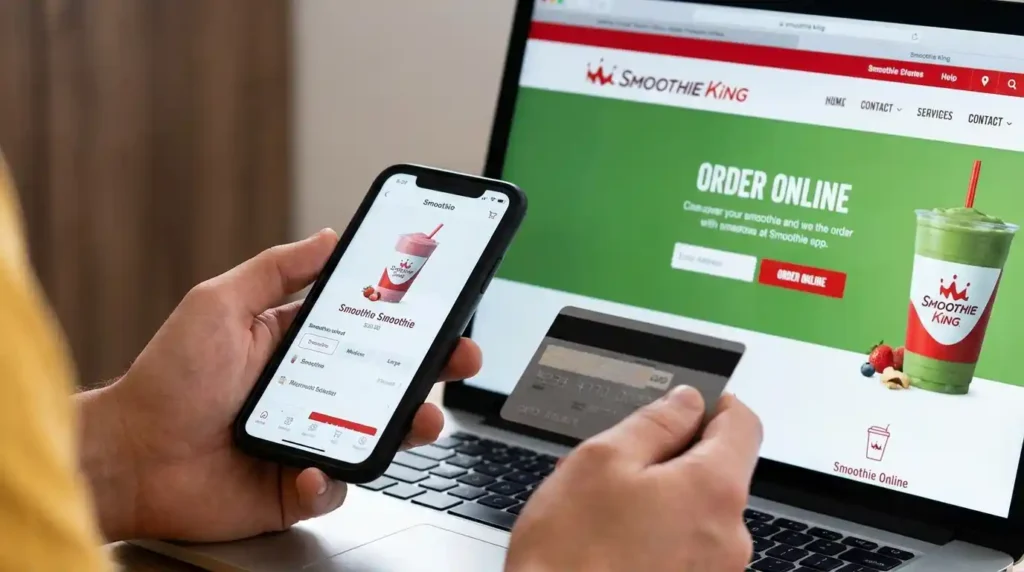
This guide covers every piece of it. The app versus the website, the four ways to receive your order, every accepted payment method in-store and online, the delivery fee structure across DoorDash and Uber Eats, and the customization options most people never touch. If you have ever stood in line at Smoothie King wishing you had ordered ahead, this is the article you needed first.
The Smoothie King App Is the Fastest Way to Order — With One Important Caveat
The Smoothie King app, available on iOS and Android, is the primary ordering platform and the one Smoothie King clearly wants you using. It supports order-ahead pickup, in-store delivery, curbside, and drive-thru ordering, all four methods in a single interface. The app also connects directly to your Healthy Rewards account, which means every dollar you spend automatically earns Purpose Points without any extra steps.
The app’s most useful features in 2026 include a dynamic calorie counter that updates as you build your blend, a consolidated wallet that shows all your payment options in one screen, order favoriting so you can reorder your regular blend in two taps, and deal and reward matching in the cart that identifies which offers apply to your current order automatically.
Here is the caveat, and it is worth being direct about: the app has a reliability problem that has been consistent across verified user reviews through early 2026. Login sessions time out unexpectedly. The location selector sometimes switches to the wrong store mid-order. The checkout flow has enough added upsell prompts that ordering during a commute, which is exactly when most people use it, becomes genuinely frustrating. The features are excellent when they work. Plan for occasional friction and keep your phone number on file as a backup for in-store point crediting.
The practical workaround is to place your order ahead of time rather than at a red light. Open the app at home, build your order, save your payment method, and hit confirm before you leave. Your smoothie will be ready when you walk in.
Smoothie King Website Ordering: The Desktop Alternative Worth Knowing
Ordering through smoothieking.com works nearly identically to the app in terms of menu access and customization options. The full menu is available, you can browse by purpose category, filter by dietary preference, and build a custom blend. The website links to your Healthy Rewards account the same way the app does, so points accumulate regardless of which platform you use.
The website ordering experience tends to be more stable than the app during peak hours. If you have ever had the app freeze at checkout while you are standing at the counter, the website on a desktop is a useful fallback for placing advance orders. It is also the better tool for first-time customers who want to spend time exploring the menu without the time pressure of being in-store.
One feature exclusive to the app is the Fuel Finder, which recommends smoothies based on your health goal. The website does not replicate this tool in the same interactive format. For exploratory ordering and menu research, the website works well. For the full feature set including Fuel Finder, deal matching, and consolidated wallet, the app remains the stronger platform.
Four Ways to Receive Your Smoothie King Order in 2026
Understanding your pickup and delivery options prevents the most common ordering mistakes, which usually involve choosing the wrong method for your situation.
Smoothie King Delivery: DoorDash, Uber Eats, and What Each Platform Actually Costs
Smoothie King has a longstanding partnership with DoorDash that began as an exclusive arrangement and expanded to include Uber Eats as an additional platform. In 2026, both platforms are active and delivery is available at the majority of Smoothie King locations nationwide.
The delivery fee structure on both platforms typically runs between $2 and $5 per order depending on distance, with service fees added on top. DashPass, DoorDash’s subscription service, covers delivery fees on eligible Smoothie King orders above a minimum subtotal for a monthly subscription fee. If you order delivery from multiple restaurants regularly, DashPass pays for itself quickly. If you use it only for Smoothie King, the math does not work out unless you are ordering several times per month.
Uber Eats operates similarly. Smoothie King is listed on the platform at most locations, with standard delivery fees applying unless you have an Uber One membership.
There is one critical point about delivery and rewards that most customers miss entirely. Purpose Points are not earned on delivery fees, service fees, or tip amounts regardless of which platform you use. More importantly, if you order through DoorDash or Uber Eats directly rather than through the Smoothie King app, you may not earn any points on the order at all. The safest way to earn points on a delivery order is to place the order through the Smoothie King app and select delivery as your fulfillment method. The app uses DoorDash’s fulfillment infrastructure in the background while keeping your transaction connected to your Healthy Rewards account.
One honest downside of smoothie delivery worth naming: blended drinks do not travel the way hot food does. A 20-minute delivery window leaves your smoothie partially melted and separated by arrival, particularly in warmer months. Delivery makes more sense for bowls and snacks than for frozen blends. Pickup is almost always the better call for the smoothie itself.
Every Payment Method Smoothie King Accepts In-Store and Online
This is one of the most searched questions about Smoothie King and also one of the most inconsistently answered. Here is the accurate picture for 2026, sourced from the official app store listings and verified payment documentation.
Smoothie King App Customization: The Options Most People Never Use
The online ordering experience at Smoothie King is significantly more powerful than in-store ordering for one specific reason: the customization interface shows you every available modification before you place your order, whereas in-store ordering requires you to already know what you want to change.
Every smoothie on the menu can be customized across several dimensions. Base selection lets you choose between nut milks, yogurt, juice, or water bases depending on your dietary preference. Protein type can be switched between whey and plant-based options. Sweetener level can be adjusted or substituted with natural alternatives like honey or stevia. Individual fruits and vegetables can be added or removed from any blend.
The dynamic calorie counter updates in real time as you make each modification, which is genuinely useful for anyone tracking macros or managing calorie intake. For a deeper look at what goes into each blend, the Smoothie King nutrition guide breaks down calories, protein, sugar, and macros across the full menu. Swapping a yogurt base for almond milk, for example, changes the calorie count immediately in the cart view. Smoothie King does not surface this level of nutritional transparency in the same way at the in-store counter.
The app also allows you to save your customized orders as favorites. If you have worked out a specific modification combination that hits your nutritional targets, saving it as a favorite eliminates the need to rebuild it every time. This single feature is probably the strongest argument for using the app over walking in without a plan.
Promo Codes and Deals: The Correct Way to Apply Them at Online Checkout
Smoothie King channels its best deals through the app rather than through public coupon sites, and understanding where deals actually live saves you from wasting time on expired third-party codes.
The most reliable in-app deals include Free Upsize Friday, which upgrades any 20 oz order to 32 oz at no charge for Healthy Rewards members every Friday, seasonal promotional smoothies with discounted introductory pricing, and bonus Purpose Points events that multiply your earning rate for a limited time. These offers appear in your app under the Rewards and Deals section and are matched automatically to your cart when applicable.
For promo codes, Smoothie King allows one promotional code per transaction at online checkout. To apply one, look for the promo code entry field during checkout before placing your order. Promotional codes and banked Healthy Rewards are treated as separate discount types, which means you can apply one promo code and use your earned $2 rewards simultaneously on the same order. What you cannot do is stack two promotional codes on a single purchase.
The $5 off first app order code is periodically offered to new users and is worth claiming during the sign-up process. New member sign-up bonuses like the $2 Welcome Reward are applied automatically to new accounts without a separate code entry.
One thing to avoid: coupon aggregator sites that list Smoothie King promo codes sourced from unverified locations. A significant portion of these are expired, invalid, or simply fabricated. The app and official Smoothie King email communications are the only consistently reliable sources for working discount codes.
Ordering Smoothie King for Groups and Events: The Catering and Bulk Order Reality
This is a topic most articles skip entirely, but it comes up regularly enough to address directly. Smoothie King does not offer a formal catering program in the same way that some fast-casual restaurants do. There is no dedicated catering menu, no event coordinator to contact, and no bulk pricing structure available through the standard ordering platforms.
What does work for group ordering is placing a large order-ahead through the app and coordinating a specific pickup time with the store directly. For orders significantly larger than normal, calling the store in advance is worthwhile. Team members can confirm prep time and ensure the order is staffed appropriately. Attempting to walk in with a verbal group order of 15 smoothies without warning is the kind of thing that makes store staff genuinely unhappy and results in a long wait regardless of how politely it is requested.
The DoorDash group ordering feature is technically available for Smoothie King and allows multiple people to add items to a shared cart before checkout. This works for small office or household group orders placed for delivery. The same delivery fee and point-earning limitations apply regardless of order size.
The Pickup vs. Delivery Decision: An Honest Cost Comparison
A single 20 oz Smoothie King smoothie priced at $7.50 at the counter costs meaningfully more when ordered for delivery. Here is what the actual numbers look like on a standard delivery order in 2026.
Base smoothie price: $7.50. Delivery fee: $2.00 to $5.00 depending on distance and platform. Service fee: approximately $1.00 to $2.00. Tip: $2.00 to $3.00 if you tip appropriately. Total cost delivered: $12.50 to $17.50 for a $7.50 smoothie.
That is a 67% to 133% markup on the base price. For a single smoothie, the math is hard to justify. For a larger group order where the base total is $30 or more, the delivery fee represents a smaller percentage and the convenience argument becomes more reasonable.
The point-earning loss compounds this. Delivery fees, service fees, and tips earn zero Purpose Points. If your $7.50 smoothie costs $15.00 delivered and only $7.50 earns points, you are also earning at half the effective rate compared to an in-store purchase of the same size.
Pickup is almost always the economically rational choice. Delivery is the right choice when getting to the store is genuinely not possible, and in that specific circumstance, ordering through the Smoothie King app rather than directly through DoorDash or Uber Eats preserves your point-earning on the smoothie price itself.
The Bottom Line on Smoothie King Online Ordering in 2026
The order-ahead system at Smoothie King is one of the more genuinely useful digital tools in the quick-service smoothie space. The customization depth, the real-time calorie tracking, the seamless rewards integration, and the Apple Pay checkout combine into an experience that is meaningfully faster and more transparent than in-store ordering.
The app has real reliability issues that have persisted long enough to be worth acknowledging rather than glossing over. The workaround is simple: order in advance, not in the moment. Treat the app like a planning tool rather than an impulse-ordering tool and almost all of its friction points disappear.
For payment, Blender Bucks loaded from a gift card and paid through the app with Apple Pay is the fastest, most rewards-integrated method available. For delivery, use the Smoothie King app rather than DoorDash or Uber Eats directly to protect your point-earning. For pickup, order-ahead on Friday and apply the free upsize.
That combination alone is worth more than most people realize. The system rewards the people who understand it and quietly ignores everyone else.
Have you switched from in-store ordering to order-ahead? What finally pushed you to make the change or if you are still walking in blind, what has been stopping you from trying the app?
All ordering, payment, and delivery details reflect publicly available Smoothie King information as of 2026. Fees, platform partnerships, and app features are subject to change. Always verify current terms at smoothieking.com or within the Smoothie King app before making ordering decisions.